WORKER SAFETY: Medicare Part D Bid Pricing Tool
Medicare Part D Bid Pricing Tool and Plan
Benefit Package: What Plan Staff Must Know
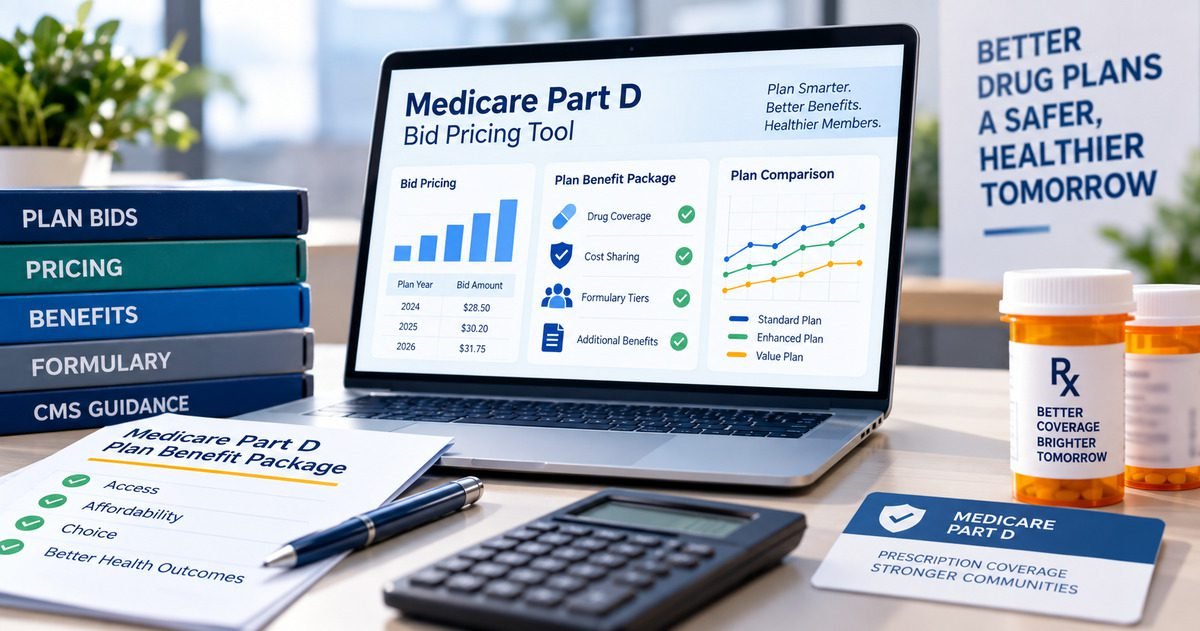
The Medicare Part D Bid Pricing Tool (BPT) and the Plan Benefit Package (PBP) are the two documents that define exactly what a Part D plan offers and at what cost for an entire contract year. Errors in either document lock the plan into wrong benefit designs, wrong cost-sharing, and wrong premiums for twelve months. Plan operations staff who work on bid submissions, benefit configuration, or HPMS data entry need to understand what these tools do, what the CMS deadline process requires, and what mistakes will cost the plan an entire plan year of problems. This guide explains both tools in plain language.
June 2
CY2026 Bid Submission Deadline (11:59 PM PDT)
The CY2026 bid submission deadline in HPMS was 11:59 PM PDT on June 2, 2025. All BPT, PBP, formulary, and Service Area Verification components had to be complete by this deadline for a bid to be sent forward to CMS desk review. Missing this deadline means the plan cannot offer coverage for the contract year. No extensions are granted for missed deadlines.
Grane PBM: CY2026 Bid Submission Functionality Memo (May 2025)
0 exceptions
CMS Will Not Accept Prior Year BPT Templates
CMS explicitly states it will not accept or review any bid submission that uses a prior year’s BPT template or solicitation. Every contract year requires the current year’s CMS-issued BPT file. A plan that submits using last year’s Excel tool will have its bid rejected regardless of the content. The BPT add-in file (for example, BPT2026.xlam) must also be current. There are no exceptions.
CMS: 2026 Part D Application Instructions
6 components
Required for a Complete CY2026 Bid Submission
A complete CY2026 bid required six components in HPMS: the Plan Benefit Package (PBP), the Bid Pricing Tool (BPT), the formulary submission, the Service Area Verification (SAV), the Plan Crosswalk, and the actuarial certification. Each component has its own completion requirements. All six must be complete by the submission deadline for the bid to go to desk review.
CMS: CY2026 Bid Submission Functionality Memo (April 2025)
The BPT and PBP are not administrative forms. They are legal and financial commitments that define what the plan must cover and what members must pay for an entire contract year. An error in the BPT cost-sharing structure gets locked in on January 1. An inconsistency between the BPT and the PBP creates a compliance gap that CMS’s own gain/loss and consistency check tools are designed to catch, but only if the plan runs them before submission. Errors that pass CMS desk review still generate member-facing problems and audit findings during the year.
Using the Wrong Year’s BPT Template
CMS releases a new BPT Excel file each contract year. Using the prior year’s template causes immediate rejection. The CY2025 BPT removed the GAP benefit phase and updated risk score calculations per the Inflation Reduction Act. A submission using the CY2024 tool would contain outdated benefit phase structure and wrong actuarial inputs, and would be rejected outright.
BPT and PBP Inconsistency
The BPT calculates the plan’s financial bid; the PBP defines the plan’s benefit structure for members. The two must be consistent, the cost-sharing in the BPT must match the cost-sharing configured in the PBP. CMS provides a BPT-PBP consistency check tool specifically to catch these mismatches before submission. Plans that skip this check submit inconsistent documents that generate desk review deficiencies.
Formulary Not Submitted by Deadline
Formularies must be submitted in HPMS and assigned to the plan by the bid deadline. The formulary crosswalk cannot be changed after bid submission. A plan whose formulary is not assigned to all plans under the contract by the deadline has an incomplete submission. For CY2026, supplemental formulary uploads had a separate deadline of June 6, 2025, missing it meant the plan’s enhanced formulary was not included.
Accessing HPMS Without the Right Permissions
CMS created the PBP/BPT Final Submit access type starting CY2024, which separates who can enter data from who can final-submit the bid. If the person responsible for final submission does not have this specific access type set up in HPMS before the deadline, the bid cannot be finalised, even if all the data is correct. HPMS access must be confirmed weeks before the deadline, not the day before.
If any of the following is true during bid preparation, stop and escalate to your supervisor or the actuarial team before continuing. Do not guess. Do not work around the problem. A BPT or PBP error that gets submitted cannot be corrected after the deadline.
!
The BPT file you are working in is not the current contract year’s version. Check the file name and the contract year cell at the top of the BPT. If it does not match the contract year you are bidding for, stop immediately and download the correct version from CMS.
!
The BPT-PBP consistency check tool is flagging a mismatch. A mismatch means the benefit design in the PBP is not matching the cost-sharing in the BPT. Do not submit until both documents match. Escalate to the actuarial team to determine which document needs to be corrected.
!
The formulary has not been assigned to the plan in HPMS and the deadline is within 48 hours. This is a critical operational failure. Escalate to the HPMS access owner and the compliance lead immediately.
!
The person designated for final submission does not have PBP/BPT Final Submit access in HPMS. This access must be requested from CMS in advance. If it is not in place before the deadline, the bid cannot be submitted. Escalate to the HPMS administrator immediately.
!
The gain/loss margin check is showing a negative margin and you do not know why. A negative gain/loss margin means the bid as structured may not be financially viable. Do not submit without actuarial review. A bid with a problematic margin will generate CMS desk review deficiencies and may require resubmission under the rebate reallocation window.
The bid deadline is today and Final Submit access is not set up
Contact CMS immediately via the HPMS help desk. HPMS access issues are handled by CMS and cannot be resolved internally. While contacting CMS, escalate to your compliance director and legal team. Document everything: the time you identified the problem, who you contacted, and what response you received. Do not wait to see if the access appears on its own. If the bid cannot be submitted by the deadline due to an HPMS access failure, you will need CMS to document the issue and advise on next steps.
The BPT-PBP consistency check is flagging errors close to the deadline
Escalate to the actuarial team immediately and identify which document needs to be corrected: the PBP in HPMS or the BPT Excel file. Correct only the document that needs to change, do not make adjustments to both simultaneously or you may introduce new errors. Re-run the consistency check after every correction. If the correction requires leadership sign-off (for example, changing a cost-sharing level that affects the plan’s financial bid), get that sign-off before making the change, not after.
CMS desk review identified a deficiency in the submitted bid
CMS communicates bid deficiencies via HPMS-generated email. Read the deficiency notice carefully and identify exactly what CMS requires to resolve it. Desk review deficiencies typically require a correction and resubmission within a specified window. Do not attempt to resolve a desk review deficiency without involving the actuarial team and compliance leadership. Document the deficiency notice, the response, and the correction in your bid file. Track the response deadline, missing a desk review response deadline has the same consequence as missing the original submission deadline.
Set an internal deadline four weeks before the CMS deadline
The CMS bid deadline is absolute and cannot be extended. Set your internal completion deadline four weeks ahead. This gives you time to run consistency checks, resolve HPMS access issues, get actuarial sign-off, and handle unexpected technical problems without working against a same-day CMS deadline. Teams that target completion on the day of the CMS deadline consistently experience preventable last-minute failures.
Confirm HPMS access and permissions at the start of every bid cycle
HPMS user access does not automatically carry over between staff changes. If a person who had Final Submit access has left the organisation or changed roles, that access may not be assigned to their replacement. Audit HPMS access at the start of every bid cycle, confirm who has data entry access and who has Final Submit access, and initiate any access requests at least six weeks before the deadline to allow CMS processing time.
Read the current year’s BPT instructions before starting any data entry
CMS changes the BPT instructions every year. The CY2025 instructions changed risk score calculation (now a calculated cell) and removed the GAP benefit phase entirely per the Inflation Reduction Act. Staff who relied on their memory of how the CY2024 BPT worked would have made errors. Require every team member involved in BPT completion to read the current year’s instructions before entering any data, even if they have completed the BPT many times before.
Document every decision that affects the bid with a date and approver name
Benefit design decisions, what cost-sharing to set, what formulary tiers to use, what prior authorisation requirements to include, must be approved by plan leadership before they are entered in the PBP or BPT. Document every decision with a date, the name of the person who approved it, and the specific value approved. If CMS desk review asks why a specific cost-sharing value was set, you need this documentation to respond. Undocumented bid decisions create audit risk for the entire contract year.
The BPT and PBP together define the plan’s legal commitment to members for the entire contract year
The PBP specifies what the plan will cover and at what cost. The BPT calculates the financial bid that supports that benefit design. Once submitted and approved by CMS, these documents define the plan’s obligations to every enrolled member from January 1 to December 31. An error in cost-sharing configuration is not a documentation problem, it is a member-facing financial error that the plan must honour or remediate for the entire plan year. Getting both documents right before submission is the only time the plan can make corrections without operational consequences.
Uploading the BPT is not the same as submitting the bid
This distinction trips plans every year. Uploading the BPT file to HPMS is a necessary step. Final Submit is a separate step that requires a user with PBP/BPT Final Submit access to actively complete the submission in HPMS. Plans that upload the BPT and close the browser believing the bid is submitted are wrong. The HPMS final submission confirmation is the only evidence of a completed bid. If you do not have a confirmation, the bid has not been submitted.
Every cycle the BPT changes, never assume this year’s tool works the same as last year’s
CMS updates the BPT every year. The CY2025 BPT made the total risk score a calculated cell (removing a manual input that was required in CY2024) and removed the GAP benefit phase entirely, reflecting the Inflation Reduction Act’s elimination of the coverage gap. Staff who completed the CY2024 BPT and assumed the same inputs and workflow apply in CY2025 would make errors on both counts. Reading the current year’s CMS BPT instructions before starting any data entry is not optional, it is the only way to know what changed and what no longer applies.
What is the difference between the Plan Benefit Package and the Bid Pricing Tool?
The Plan Benefit Package (PBP) is the document that defines the plan’s benefit design: what services are covered, what cost-sharing members pay, which drugs are covered, and what utilisation management requirements apply. The Bid Pricing Tool (BPT) is the actuarial document that calculates the financial bid: projected drug costs, plan liability by benefit phase, the gain/loss margin, and the premium that results from the benefit design. The PBP defines what the plan offers to members; the BPT calculates how much it costs and how the plan bids to CMS to offer that benefit. Both must be submitted in HPMS and both must be consistent with each other. Source: CMS: CY2025 Part D BPT Instructions
When is the Part D bid submission deadline and what happens if it is missed?
For CY2026 (the 2026 contract year), the bid submission deadline was 11:59 PM PDT on June 2, 2025. CMS sets a similar deadline each year, typically in late May or early June. Missing the deadline means CMS will not review or accept the bid, the plan cannot offer coverage under that contract number for the affected contract year. CMS does not grant extensions for missed deadlines. The only way to offer coverage for a contract year is to have a timely, complete bid on file with CMS. Source: Grane PBM: CY2026 Bid Submission Deadline (May 2025)
What is the PBP/BPT Final Submit access type and how do plans get it?
Starting with CY2024, CMS created a separate HPMS access type called PBP/BPT Final Submit, which allows a designated user to complete the final submission of the PBP and BPT for a contract number. This access is separate from the data entry access used by staff who complete the PBP and BPT. To obtain this access, the plan organisation must email hpms_access@cms.hhs.gov with the user name, CMS user ID, organisation name, and contract number, with “PBP/BPT Final Submit” in the subject line. This request must be made in advance, CMS requires processing time and the access cannot be granted instantaneously. Source: CMS: Instructions for Requesting PBP/BPT Final Submission Access
What changed in the Part D BPT for CY2025?
The CY2025 BPT had two significant structural changes from CY2024, both driven by the Inflation Reduction Act. First, the total risk score became a calculated cell, in CY2024 this was a manual input, but in CY2025 CMS removed the manual input and made the value auto-calculated from other inputs in the tool. Second, the GAP benefit phase was removed entirely, because the Inflation Reduction Act eliminated the coverage gap (donut hole) for 2025. Staff who completed the CY2024 BPT and used the same workflow in CY2025 would encounter both a missing input field and a benefit phase section that no longer exists, both of which would cause errors. Source: CMS: CY2025 Part D BPT Instructions
What components are required for a complete Part D bid submission?
A complete Part D bid submission for CY2026 required six components in HPMS: the Plan Benefit Package (PBP), the Bid Pricing Tool (BPT), the formulary submission (with a formulary ID assigned to every plan under the contract), the Service Area Verification (SAV), the Plan Crosswalk (for renewing contracts), and the actuarial certification. Each component has its own data requirements and some have secondary deadlines, for CY2026, supplemental formulary uploads were due June 6, 2025, four days after the main bid deadline. All components must be complete for the bid to proceed to desk review. Source: CMS: CY2026 Bid Submission Functionality Memo
Can the formulary crosswalk be changed after bid submission?
No. CMS is explicit that the formulary crosswalk cannot be changed after bid submission. The formulary assignment, which formulary ID is mapped to which plan, is locked at the point of final submission. This means that any changes to the formulary crosswalk that need to happen for the contract year must be completed before the bid is final submitted. Plans that discover a formulary assignment error after submission cannot correct it through HPMS. Formulary assignment must be verified as correct before final submission. Source: CMS: CY2026 Bid Submission Functionality Memo
What is the rebate reallocation window and when does it apply?
The rebate reallocation window is a period after the initial bid submission deadline when plan sponsors can make specified adjustments to their bid, specifically to enhance benefits using the rebate amount when the total Part D premium is greater than or equal to the national average monthly bid amount. For CY2027, the rebate reallocation window opened after the initial bid period and closed August 6, 2026. During rebate reallocation, Part D plan sponsors are not permitted to make changes to the Part D BPT itself. Bids may be resubmitted for rebate reallocation multiple times within the window. After the window closes, plans have a brief period to inform CMS of their intent regarding next steps. Source: CMS: July 2026 Parts C and D Announcement
Tips
7 Medicare Part D Administration Tips
The operational companion to this bid guide, covering LIS cost-sharing, OOP cap tracking, transition policy, PA timelines, MTM, and formulary communication for plan staff who administer Part D day to day once the benefit design is set.
Guides
Medicare Advantage Quality and Utilization Management Guide
The QM/UM guide covering UM Committee governance and how prior authorisation policies configured in the PBP must align with Medicare coverage criteria, the regulatory context for the benefit design decisions made in the PBP submission.
Guides
Medicare Advantage Administration: A Complete Guide
The full MA administration guide covering all 7 CMS audit areas, including how the benefit design submitted in the PBP and BPT determines the plan’s compliance obligations across the entire contract year.
MEDICARE PART D WORKER SAFETY LIBRARY
More Medicare Part D Operational Guidance
Explore VelSafe’s Medicare Part D worker safety library for plain-language operational guides on bid submissions, formulary management, administration, and compliance for plan staff.
Explore Worker Safety Articles