

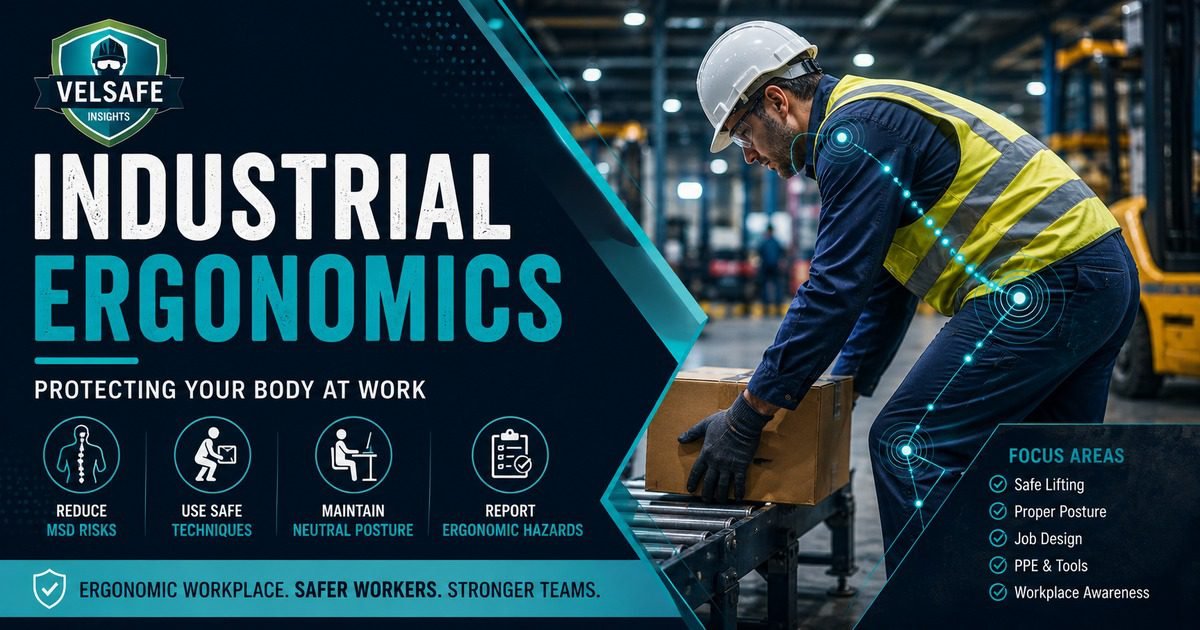
WORKER SAFETY: Industrial Ergonomics
Ergonomics is about fitting the job to the worker, not forcing the worker to fit the job. In industrial settings, poor ergonomics is one of the leading causes of work-related musculoskeletal disorders (MSDs), which are injuries to muscles, tendons, ligaments, and nerves caused by the physical demands of work. These injuries do not happen overnight. They build up over weeks, months, or years of repeated awkward movements, heavy lifting, and sustained uncomfortable positions. This guide explains what ergonomic hazards look like, how to protect yourself, and what to do when something starts to hurt.
Why This Matters to You
Musculoskeletal disorders are the most common and most costly category of workplace injury in the United States. According to the Bureau of Labor Statistics, MSDs account for roughly one-third of all worker injury and illness cases each year. Back injuries, shoulder strain, carpal tunnel syndrome, and tendinitis are not inevitable parts of physical work. They are preventable when workers understand the risks and apply ergonomic principles to how they work every day. A body that is protected now is a body that keeps working for years to come.
Source: BLS | BLS Musculoskeletal Disorders and Days Away from Work
Hazard Overview: The Six Ergonomic Risk Factors
Which Physical Demands Create the Most MSD Risk
Forceful exertions (heavy lifting, pushing, pulling)
Highest Risk
High force demands on muscles and joints dramatically increase MSD risk, especially when combined with awkward postures or repetition.
Awkward postures (bending, twisting, reaching overhead)
Very High Risk
Working in positions that place the body outside its neutral range significantly increases stress on muscles, joints, and tendons.
Repetitive motions (same movement many times per shift)
High Risk
Repeating the same movement without adequate recovery time prevents muscles and tendons from recovering between exertions, leading to cumulative damage.
Contact stress (pressure from hard surfaces or tool handles)
Moderate Risk
Resting body parts on hard edges, gripping narrow tool handles, or pressing hands against surfaces can compress nerves and blood vessels.
Vibration (power tools, vehicles, vibrating platforms)
Moderate Risk
Whole-body vibration from vehicles and hand-arm vibration from power tools can damage nerves, blood vessels, and joints over time.
Static postures (holding same position for extended periods)
Ongoing Risk
Holding any position for a long period reduces blood flow and increases muscle fatigue, even when the posture looks comfortable.
Signs of Danger: Early Warning Signals Your Body Sends
Pain, aching, or soreness
Discomfort that persists after your shift ends, or that gets worse as the shift progresses, is an early warning sign. Muscle soreness that does not resolve with rest is different from normal tiredness. Report it early; waiting until the pain is severe makes treatment and recovery longer and harder.
Tingling, numbness, or burning
Tingling or numbness in hands, fingers, or forearms during or after work can indicate nerve compression, which may be an early sign of carpal tunnel syndrome or other nerve-related conditions. Do not ignore these symptoms; they are easier to address at this stage than after they progress.
Stiffness, reduced range of motion
Joints that feel stiff at the start of your shift, or that have difficulty moving through their full range, may be showing early signs of repetitive strain. Morning stiffness that takes more than a few minutes to ease is worth reporting to your supervisor or occupational health provider.
Swelling or weakness
Visible swelling around a joint or a feeling of weakness when gripping or lifting are more advanced warning signs that require prompt medical attention. Do not continue working through swelling or significant weakness, as doing so can turn a manageable condition into a serious injury requiring surgery or extended time off work.
Safe Work Practices: Protecting Your Body on the Job
1
Lift Safely Every Time
Before lifting anything, assess the load: how heavy is it, can you see where you are going, is there a better way? Keep the load as close to your body as possible. Bend at the hips and knees, not at the back. Keep your spine in a neutral position throughout the lift. Avoid twisting while holding a load; turn your whole body by moving your feet instead. For loads you cannot lift safely alone, use mechanical lifting aids (pallet jacks, hoists, carts) or ask for a co-worker to help. A load that is too heavy for one person is always too heavy for one person, regardless of time pressure.
2
Work in a Neutral Body Position
A neutral position means your joints are not bent to their extremes. For the back: avoid forward bending and twisting. For the wrists: keep them straight, not bent up, down, or sideways. For the shoulders: keep arms below shoulder height as much as possible. For the neck: keep your head directly above your shoulders, not jutted forward or tilted sideways. When your workstation or the nature of the task forces you out of neutral positions, that is a problem to report, not a condition to adapt to.
3
Reduce Repetitive Strain With Micro-Breaks and Job Rotation
When a task involves repeating the same motion hundreds of times per shift, the affected muscles and tendons do not get enough recovery time. Take brief micro-breaks every 20-30 minutes for highly repetitive tasks: stand up, stretch, shake out your hands and arms, shift your weight. If job rotation is available at your site, rotate between tasks that use different body parts. Rotate before the discomfort starts, not after. Rotation and micro-breaks are not time-wasters; they are MSD prevention measures that protect your long-term ability to work.
4
Use the Right Tool Correctly
Using the wrong tool for a job, or using the right tool incorrectly, dramatically increases ergonomic risk. Use tools with handles sized for your hand; handles that are too large or too small require more gripping force. Use power tools rather than hand tools when force demands are high, but be aware of vibration risk. Keep tools in good condition: dull cutting tools require more force; worn grips increase hand-arm stress. When gripping a tool, use the whole hand rather than pinching with two or three fingers, which concentrates force on small areas.
5
Set Up Your Workstation for Your Body
Your workstation should be adjusted to fit you, not the average worker. Work surface height should allow you to work with elbows near your sides and forearms roughly horizontal. Items you use frequently should be within easy reach without bending or stretching. If you work standing, anti-fatigue matting significantly reduces lower limb and back fatigue. If your workstation cannot be adjusted to a safe working height, report it as an ergonomic hazard rather than adapting your posture to accommodate it.
PPE for Ergonomic Protection
🧤
Anti-Vibration Gloves
For regular use of vibrating power tools. Anti-vibration gloves reduce hand-arm vibration transmission but do not eliminate it. Time limits on vibrating tool use are also required; check your site’s policy.
👞
Supportive Footwear
For prolonged standing or walking on hard surfaces. Quality footwear with arch support and cushioning reduces lower back and leg fatigue significantly. Anti-fatigue insoles can supplement standard safety boots.
🦺
Back Supports (with caution)
Back belts and support braces are sometimes used in manual handling roles. Evidence for their effectiveness in preventing back injury is mixed. They are not a substitute for safe lifting technique. Follow your employer’s guidance on when and how to use them.
🛏️
Anti-Fatigue Matting
For workstations where standing is required for extended periods. Anti-fatigue mats encourage subtle leg muscle movement that maintains blood flow and reduces fatigue in the lower back and legs.
🔧
Ergonomic Tool Selection
Ergonomically designed tools with padded, contoured handles reduce grip force requirements and contact stress. If your tools are causing hand or wrist discomfort, ask your supervisor about ergonomic alternatives.
📋
PPE Is a Last Resort
PPE addresses the symptom, not the cause. Engineering controls (adjustable workstations, mechanical lifting aids, reduced repetition) are always more effective than PPE for ergonomic hazard control. Report ergonomic hazards so engineering solutions can be implemented.
Do and Don’t: Ergonomics at Work
DO
DON’T
Report early symptoms of discomfort to your supervisor or occupational health provider before they become serious injuries
Work through pain and discomfort, assuming it will go away on its own; MSDs that are ignored at an early stage typically worsen
Use mechanical aids (pallet jacks, hoists, hand trucks) for heavy or awkward loads instead of manual handling
Lift loads that are too heavy for one person without mechanical assistance or a co-worker, regardless of time pressure
Take micro-breaks and stretch during repetitive tasks, as brief pauses protect your muscles and tendons over a full shift
Power through a repetitive task without breaks because you are behind schedule; the injury that results will cost far more time
Adjust your workstation height and layout to fit your body before starting work on a new task or at a new station
Adapt your body posture to an incorrectly set up workstation without reporting it as an ergonomic hazard
Ask for help when a task involves loads, postures, or forces that feel beyond your capacity
Assume that an ergonomic problem is just part of the job and cannot be changed; report it so it can be assessed and fixed
Emergency Response: When an Ergonomic Injury Occurs
Acute back injury or muscle strain
Stop the task immediately. Do not try to push through an acute back injury or significant muscle strain. Report to your supervisor. Seek first aid or medical attention. Do not return to the same task without clearance from a medical professional. Returning too early or without modification risks a more serious re-injury.
Developing symptoms (pain, tingling, numbness)
Report symptoms to your supervisor and request an ergonomic assessment of your task or workstation. Ask to be referred to occupational health. Do not wait for the symptoms to become severe before reporting. Early intervention typically means faster recovery and less time away from work.
Witnessed co-worker injury
If a co-worker is injured, provide first aid if trained to do so and call for help. Do not move someone who may have a back or neck injury unless they are in immediate danger. Report the incident to the supervisor immediately. If you witnessed what happened, stay on-site and be available to provide an account to the investigation team.
Supervisor Tips: Building an Ergonomically Safe Workplace
Conduct regular ergonomic observations
Walk your area and watch how workers are performing physical tasks. Are they bending to reach materials that could be repositioned? Are they working with wrists bent? Is the work surface height suitable? Observation identifies ergonomic hazards before they produce injuries. Use an ergonomic checklist to make observations systematic. VelSafe’s Ergonomic Risk Assessor can help structure your walkthrough observations.
Act on early symptom reports
When a worker reports early symptoms of musculoskeletal discomfort, treat it as an ergonomic hazard report, not a performance issue. Conduct an ergonomic assessment of the task. Make temporary job modifications while a permanent solution is developed. Refer the worker to occupational health. Early action costs far less than a workers’ compensation claim for a developed MSD.
Support job rotation and micro-break schedules
Job rotation and micro-breaks reduce cumulative ergonomic exposure. This requires scheduling and coverage planning. Build rotation schedules that distribute high-demand tasks across workers rather than concentrating them. Never pressure workers to skip breaks or rotation because of production demands; doing so increases MSD risk and incident rate.
Worker Checklist: Ergonomics at the Start of Every Shift
Before You Start
Workstation height adjusted for my body
Frequently used items within easy reach
Required mechanical aids available and working
PPE for this task inspected and ready
During the Shift
Taking micro-breaks for repetitive tasks
Maintaining neutral body positions
Using lift assists for heavy or awkward loads
Noticing and noting any discomfort or symptoms
At the End of Shift
Reported any new discomfort or symptoms to supervisor
Reported any ergonomic hazards observed during the shift
Tools and equipment stored properly for the next shift
Completed any required incident or near-miss reports
Key Takeaways
MSDs build up slowly and are much easier to prevent than to treat
The discomfort that feels minor on a Tuesday can become a serious injury by Friday if the underlying ergonomic hazard is not addressed. Early symptoms are your body’s early warning system. Report them, get an assessment, and address the task or workstation conditions that are causing them.
Ergonomic hazards are workplace problems, not personal problems
A workstation that requires a back-bending posture to operate, a task that demands repetitive force for eight hours, or a load that is too heavy for one person to lift safely: these are hazards. They are not your fault for being unable to perform them safely indefinitely. Reporting them is how they get fixed for you and every other worker who does that task.
Your body is your most important tool
You use your body to do your job every single day. Taking care of it through safe lifting, neutral postures, adequate breaks, and early reporting of symptoms is not optional. It is the maintenance that keeps your most important piece of equipment functional for the length of your career. No shift, no production target, and no deadline is worth a permanent injury to your back, shoulders, or hands.
Frequently Asked Questions
How heavy is “too heavy” to lift alone?
OSHA does not set a specific weight limit for manual lifting, but ergonomics guidelines generally suggest that loads over 50 pounds (about 23 kg) should not be lifted by one person without mechanical assistance or a second worker. However, weight alone is not the only factor: a 30-pound load lifted from floor level with an awkward grip in a confined space may be riskier than a 50-pound load lifted at waist height with good handholds. Assess the whole lift, not just the number on the label. If a lift feels unsafe, it is unsafe; use a mechanical aid or get help.
Will using a back belt protect my back when I am lifting heavy loads?
Evidence for back belts preventing back injuries is mixed and not conclusive. OSHA has stated it cannot recommend back belts to prevent back injuries. They may provide some support and serve as a technique reminder, but do not substitute for safe lifting practices, mechanical aids, or workstation redesign. If your employer provides back belts, use them per policy but not as primary protection.
Government and Regulatory Sources
- OSHA – Ergonomics
- OSHA – Ergonomics Guidelines for Industry
- NIOSH – Ergonomics and Musculoskeletal Disorders
- OSHA – General Duty Clause (Section 5)
Related VelSafe Articles
VelSafe Worker Safety
Musculoskeletal disorders are the leading driver of workplace injury costs and lost time. VelSafe covers ergonomics, OSHA compliance, and injury prevention with practical guides built for safety managers and frontline supervisors.
Browse Worker Safety Guides